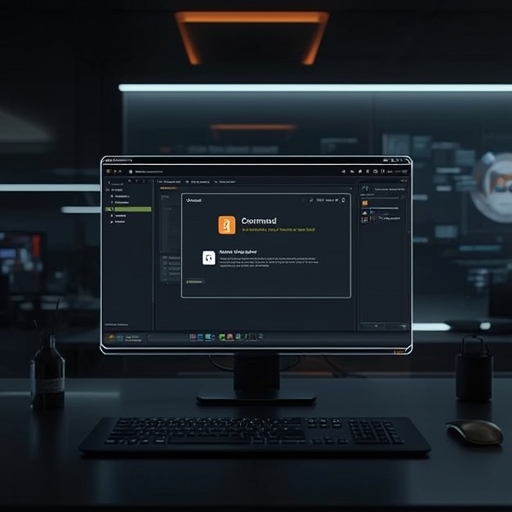
Microsoft has introduced a significant visual and functional enhancement to one of Windows’ most longstanding and recognizable utilities—the Run menu. This refreshed version, currently undergoing trials within the Experimental Channel of the Windows Insider Program, reflects a deliberate effort by Microsoft to modernize even the most foundational aspects of its operating system while ensuring optimized performance and aesthetic cohesion across the Windows 11 environment.
The reinvented Run interface embodies a more refined and contemporary design language that harmonizes with the overall Windows 11 visual identity. Its sleek contours, subtle animations, and improved responsiveness create a distinctly modern user experience. In addition to visual elegance, Microsoft has optimized the architecture underpinning the tool to offer notably faster execution times, reducing the brief delay sometimes observed in the classic interface. These refinements ensure that power users and casual users alike experience smoother transitions when launching programs, executing commands, or accessing hidden system functions.
One of the most awaited features is the full integration of dark mode. With this enhancement, the Run menu now adheres to the system-wide theme preferences, providing a visually comfortable and cohesive aesthetic for users who prefer darker interfaces. This not only aligns with accessibility standards but also reduces visual strain, especially for those who frequently work in dimly lit environments. The inclusion of dark mode further exemplifies Microsoft’s strategic commitment to unifying design consistency across all components of Windows 11.
Beyond aesthetics, this experimental rollout also signals Microsoft’s ongoing prioritization of user experience design rooted in simplicity, elegance, and efficiency. While the Run command retains its traditional functionality—allowing direct access to programs, system paths, and administrative tools—the redesigned framework improves usability through subtle interface cues and cleaner text presentation. For developers, IT professionals, and system administrators who depend on the Run command for swift access to core operations, these refinements make daily workflows more intuitive and visually appealing.
As part of its phased testing in the Experimental Channel, Microsoft is gathering feedback from the Insider community to fine-tune interaction behaviors, color balance, and compatibility nuances with various display settings. This iterative refinement process underscores Microsoft’s collaborative development model, ensuring that widespread deployment will meet both aesthetic and functional expectations.
Ultimately, this redesigned Run menu illustrates more than a superficial makeover—it conveys Microsoft’s broader vision for Windows 11 as a platform that values both heritage and innovation. By modernizing this decades-old utility while upholding its essential identity and practicality, Microsoft reinforces a design philosophy where form and function coexist seamlessly. Users can anticipate that this new iteration will soon become part of the broader Windows ecosystem, enriching everyday computing with a balance of speed, beauty, and precision.
Sourse: https://www.theverge.com/tech/922531/microsoft-windows-11-run-menu-redesign-test