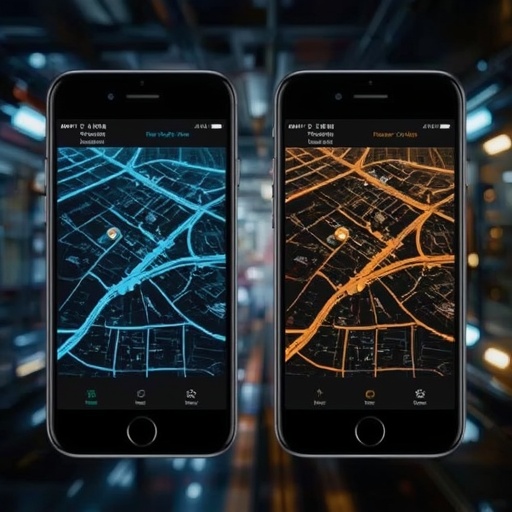
When deciding whether to use Waze or Google Maps, the choice ultimately depends on what aspects of navigation and travel convenience matter most to you. If your highest priority is to reach your destination as efficiently as possible while skillfully sidestepping traffic congestion, sudden road hazards, and police speed traps, Waze is the application that best fulfills those needs. Its system is specifically optimized for live driving conditions, meaning it excels at instantly recalculating your route when traffic patterns shift or new obstacles emerge. The app’s intelligence comes largely from its crowdsourced network of drivers, who continually report incidents, speed checks, and blockages in real time. As a result, Waze feels like a living, breathing network of commuter awareness—highly dynamic, fast to react, and decisively driver-centric.
However, if your requirements extend beyond road navigation into more comprehensive urban exploration, Google Maps offers a vastly broader spectrum of information and integration. This app does not merely direct you from point A to point B; rather, it functions as an extensive digital atlas designed for multiple modes of transit. Google Maps supports driving, walking, cycling, and public transportation across countless cities around the world. It includes expansive databases containing details about restaurants, businesses, gas stations, hotels, cultural landmarks, and attractions nearby. In addition, Google Maps also provides nuanced assistance for parking availability, estimated travel costs, and turn-by-turn navigation across various types of vehicles. In short, Waze is best for immediate, on-road reactivity, whereas Google Maps serves as a more holistic travel companion.
For those struggling to decide, consider the following practical breakdown.
— **Use Waze if:** You spend most of your time behind the wheel and want the quickest, most data-responsive driving experience possible. You appreciate spontaneous, user-generated road alerts encompassing everything from visible police presence to fallen debris. You prefer a hands-free approach for reporting hazards while on the move and enjoy Waze’s playful extras such as customizable voices and animated driver avatars. Waze exists exclusively for motorists—it does not cater to walking, biking, or public transit routes.
— **Use Google Maps if:** You often rely on a mix of transportation methods like trains, buses, cycling, or walking. You want access to rich business profiles, including menus, reviews, and hours of operation. You find value in advanced viewing tools such as Street View, immersive navigation, multiple map layers, or 3D perspectives. In addition, Google Maps is indispensable for international travelers thanks to its extensive offline map capabilities and worldwide coverage. For electric vehicle owners, it even displays real-time charging station availability and predictive data tied to battery range. Finally, Google Maps integrates Google’s Gemini AI voice assistant, allowing for deeper conversational interaction during your travels.
In terms of connectivity, Waze does not genuinely support offline use. While it might momentarily cache fragments of your preloaded route, its core functionality depends heavily on continuous data access to gather live updates from fellow drivers. In contrast, Google Maps provides authentic offline mapping, allowing you to navigate predownloaded regions even without an internet connection.
Another point of comparison concerns police and hazard visibility. While Google Maps offers a more basic set of user reports—such as construction sites, crashes, or patrols—it lacks the highly detailed, rapid feedback loop that defines Waze. In Waze, driver updates appear almost instantly, creating a sense of active community collaboration. Likewise, Waze remains an app built exclusively around motorized transport: it cannot provide meaningful navigation for pedestrians or cyclists. Google Maps fills this gap by supporting an array of transport modes and offering route options that reflect walking paths, cycle lanes, and public transit schedules.
If you wish to visualize a location before arrival, Google Maps distinguishes itself yet again. Waze lacks support for Street View or chronological timeline exploration. With Google Maps, explorers can not only preview a street or building façade in immersive 360-degree imagery but can also view archival images to see how a site appeared years ago—sometimes up to two decades in the past. Such historical data can prove invaluable for researchers or travelers interested in urban transformation over time.
Privacy considerations differ too. Google Maps provides an Incognito mode that allows users to browse and navigate privately. When enabled, your searches, route histories, and visited locations remain unlinked to your Google account, effectively pausing personalized recommendations and analytic tracking. Waze, on the other hand, lacks a formal Incognito feature but offers a practical alternative through an “invisible” status. This option conceals your live location and username from other Waze users, thereby offering a modest level of anonymity. To activate privacy features, you can tap your Google Maps profile picture and select “Turn on Incognito mode.” On Waze, open the Menu, navigate to “View Profile,” and choose “Go invisible.”
In conclusion, Waze is the champion for drivers who crave immediacy, crowd-informed updates, and constant engagement with present road realities. Google Maps, conversely, stands as the comprehensive navigator—an application that seamlessly bridges the needs of drivers, pedestrians, cyclists, and travelers across regions and modes. Each tool has its domain of mastery, and your ideal choice depends entirely on whether you prioritize real-time efficiency or informational depth and versatility.
Sourse: https://www.zdnet.com/article/google-maps-vs-waze-compared-2026/