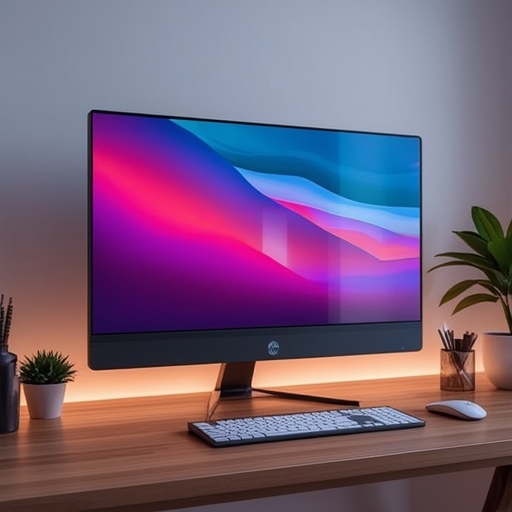
Most technology enthusiasts are familiar with at least two defining characteristics of 5K monitors: their exceptional, needle-sharp image quality and the equally striking cost attached to them. These displays are widely admired for their breathtaking clarity, often captivating anyone who values visual fidelity, yet they notoriously sit in the premium price range. Among these, Apple’s Studio Display has become the quintessential example — an elegant and meticulously engineered product with a retail price of $1,599. However, after extensive testing, I encountered a lesser-known competitor that intriguingly mirrors some of the Studio Display’s most important qualities while demanding only a small fraction of its price: an astonishing $355 at its all-time low. Naturally, a drop in price of this magnitude entails certain compromises, and it quickly becomes evident that the reduced cost is achieved by limiting premium features and build refinement.
This particular 5K monitor emerges not from industry giants such as Apple, Samsung, LG, or Asus — names synonymous with quality household electronics — but rather from a relatively obscure manufacturer called KTC. The specific model, known as the H27P3, was entirely unfamiliar to me prior to testing, yet its affordability instantly caught my attention. Despite its budget-oriented nature, the screen specifications are impressive: a 27‑inch 5K IPS panel operating at 60Hz, offering an extraordinary 217 pixels per inch (PPI) — only a single pixel per inch below much more expensive competitors. The fact that consumers can now obtain a color-accurate, high-density display at such a modest cost feels almost revolutionary. For content creators, editors, or anyone curious about 5K visuals, this monitor presents a compelling opportunity to experience ultra‑sharp viewing without plunging into financial strain.
Still, it’s crucial to temper expectations. The H27P3 is clearly marketed as a practical, no-frills display rather than a flagship or design statement. Its physical aesthetic resembles that of a typical entry-level gaming monitor — minimalist yet a bit utilitarian — and its limited assortment of ports underscores its midrange position. Compared to the sleek, feature-packed interfaces of top-tier models, the H27P3’s connectivity feels restricted both in number and speed. Moreover, navigating the monitor’s dated on-screen display (OSD) proves cumbersome; its menu system makes accessing key options far more complicated than users should reasonably tolerate. In summary, while the H27P3 promises functional excellence for the price, no one will mistake it for a luxury device.
When evaluating its advantages and drawbacks more closely, the pattern becomes clearer. On the bright side, this display delivers crisp, pleasing picture quality that easily surpasses conventional 1440p monitors and even holds its own against pricier alternatives. Its price regularly falls below $600, and it features three distinct connection options for video input, providing decent flexibility for different setups. Conversely, the KVM switch advertised on the packaging functions merely as a basic USB hub, not the true multi‑system control switch users might expect. Aesthetically, its design leaves something to be desired, and its slower response time further reminds you this is not a gaming‑optimal device.
The presence of a semi‑affordable 5K monitor supporting 217 PPI resolution is particularly beneficial for macOS users. Apple’s operating system excels at adjusting visual scaling, rendering an interface that remains legible while maintaining exquisite detail. macOS identifies the monitor as a 5K display but renders its interface effectively at 2,560 x 1,440 resolution, thereby allowing text, icons, and windows to appear cleaner and more defined than on a native 1440p screen. The difference in sharpness is immediately apparent, contributing to a smoother and more refined viewing experience.
Hooking up the H27P3 to a MacBook Air, for example, is effortless thanks to its USB‑C single‑cable solution, which delivers both power and video. During everyday tasks involving numerous Chrome tabs, Slack messages, and photo editing within Affinity Photo, every element — from small text to intricate UI components — rendered with impressive clarity and minimal color distortion. Using such a high‑resolution display can easily spoil you; once accustomed to this level of detail, reverting to 1440p feels undeniably less crisp, almost fuzzy by comparison.
That said, for my personal needs, 1440p continues to be an optimal resolution, especially on Windows 11 machines tuned for gaming. My desktop system handles QHD (1440p) exceptionally well, and it allows me to prioritize higher refresh rates over pixel density — a tradeoff that benefits fast-paced gameplay. Substituting my primary display for the H27P3 yielded a mix of improvements and shortcomings. Windows 11 instantly recognized the enhanced clarity, automatically suggesting a 200 percent scaling adjustment to preserve comfortable text size and interface readability. Still, while detail improved perceptibly, other performance factors made me realize that pixel count alone cannot substitute for responsiveness.
For those considering this monitor as a secondary display or even a full laptop replacement, the H27P3 proves highly competent. Yet, one should remember that the gaming segment remains excluded from the 5K market nearly entirely — and this model does not break that trend. While its 60Hz refresh rate is perfectly standard for displays of this specification, it appears slow in comparison to modern screens that frequently support 90Hz and above. Although the H27P3 technically allows 120Hz refresh at a reduced 2K resolution, switching back and forth involves navigating the uncooperative OSD, as the setting cannot be changed within the operating system itself. KTC indicates that the panel’s gray-to-gray response time falls between 10 and 14 milliseconds. While motion might seem smooth to the eye, the latency becomes apparent when interacting directly — cursor movements and keystrokes feel slightly delayed.
In terms of technical specifications, the H27P3 surprisingly holds its ground next to more expensive competitors. It promises up to 500 nits of peak brightness and a 2,000:1 contrast ratio, resulting in lively colors and sufficient illumination for most creative tasks. In my experience, the brightness was even too intense at maximum levels, while contrast performance appeared satisfactory under general use. KTC also promotes high dynamic range (HDR) support, yet this feature underwhelms in practice. Although HDR playback on both macOS and Windows 11 outputs visibly brighter highlights, the overall dynamic realism feels limited. Ultimately, true HDR excellence requires dramatically higher brightness levels, superior contrast, and technologies like local dimming — characteristics absent here.
Those who demand the most accurate color reproduction and nuanced brightness control should consider alternatives such as Mini‑LED or OLED panels. Mini‑LED monitors, for instance, utilize numerous local dimming zones to achieve better dark‑level precision, and they have become considerably more affordable. KTC itself offers a 27‑inch 4K Mini‑LED model with 1,152 local dimming zones costing about $499.99, which could appeal to visual professionals seeking improved contrast ratios. OLED options remain another compelling path, delivering pixel‑level illumination control and unmatched black depth at varying resolutions.
That said, the H27P3 does perform admirably regarding color gamut coverage. It supports broad color volumes across major standards, including DCI‑P3, sRGB, and Adobe RGB — an asset for photographers, designers, or video editors who require accurate hues. The manufacturer is transparent about its use of 8‑bit color depth enhanced via frame rate control (FRC), a common technique that rapidly alternates pixel states to simulate a wider 10‑bit palette. For most users, the distinction is negligible, and the resulting gradients appear smooth and natural. By comparison, professional‑grade displays offering genuine 10‑bit depth easily exceed $1,000, underscoring the H27P3’s commendable value proposition.
Examining connectivity, one quickly notes the expected budget constraints. The monitor houses an HDMI 2.0 port, a DisplayPort 1.4 input, and a single USB‑C port capable of transmitting 5K video while providing up to 65W of power delivery — sufficient for most ultrabooks. All connections function at 5K 60Hz via display stream compression (with the exception of HDMI, limited to 4K 60Hz due to bandwidth caps). Two USB‑A 3.0 ports and a headphone jack complete the offering. Although KTC touts built‑in KVM abilities, this claim proves overstated: the function merely adds hub‑like USB access rather than true multi‑computer management. It is helpful for plugging in peripherals such as drives or dongles, but control between systems still requires manual interaction.
If one seeks broader connectivity with faster throughput, higher‑tier models like BenQ’s PD2730S or Asus’s ProArt PA27JCV should be examined. The former, typically priced near $1,199.99, integrates Thunderbolt 4 with 90W charging and daisy‑chaining capabilities. The latter, around $799.99, provides multiple ports optimized for professional workflows. These premium alternatives remind us that price often corresponds with convenience and refinement, areas where the H27P3 consciously economizes.
Ultimately, I understand the ongoing enthusiasm surrounding 5K technology. Experiencing text and imagery represented with such immense clarity can be transformative, making everyday computing feel more luxurious. Yet, after extensive use, I remain practical. While the KTC H27P3 stands as an undeniably good display — and perhaps the most approachable entry point into high‑resolution computing — I personally would allocate similar funds toward an OLED monitor emphasizing speed, contrast, and color depth over sheer pixel count. Nonetheless, for individuals who have long admired the sharpness of Apple’s Studio Display but balked at its cost, the H27P3 emerges as a genuinely appealing compromise: a simplified, affordable gateway into the 5K realm that delivers far more than its modest price suggests.
Sourse: https://www.theverge.com/gadgets/842650/5k-monitor-ktc-h27p3-mac-os-review