Pros and Cons
**Advantages**
Bloom distinguishes itself as a more refined and user-friendly app than Brick. Its intuitive scheduling interface makes planning focus sessions almost effortless, simplifying the process of reclaiming time from one’s phone. Beyond usability, Bloom is also offered at a noticeably lower price, providing a cost-effective alternative for those seeking to manage their screen time without sacrificing functionality.
**Disadvantages**
Yet, the experience is not without its shortcomings. The app occasionally continues to restrict access to blocked applications even after the predefined schedule ends, an issue that undermines its reliability and convenience. Furthermore, Bloom’s inclusion of break periods—intended as moments of rest—paradoxically weakens the discipline that such tools are designed to foster. Allowing these short interruptions can easily devolve into extended scrolling sessions, thus defeating the intended purpose of limiting digital distraction.
—
When I first installed Bloom, it informed me that I had already devoted approximately sixteen years of my life to staring at my phone screen. The stark statistic, displayed as I created my account, felt both astonishing and sobering. Sixteen years. Reflecting on that number, I realized how differently that time could have been spent—running more than a thousand marathons, sharing thousands of cups of coffee with companions, or simply enjoying additional hours of deeply restorative sleep each night. Instead, much of that time dissolved into endless scrolling, a familiar pattern not limited to me alone.
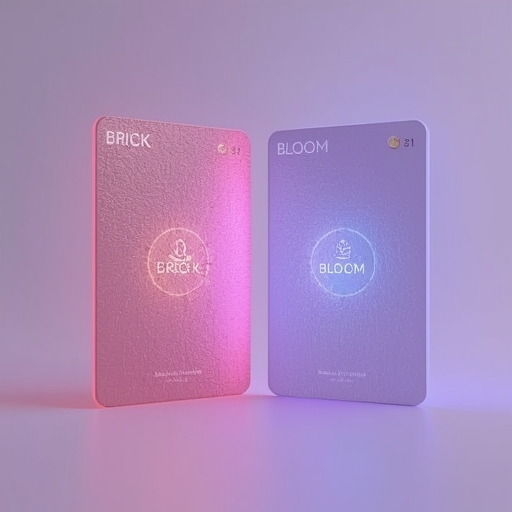
As smartphones and social media continue to envelop daily life, awareness of the psychological mechanisms that keep us perpetually engaged is growing. In response, a variety of companies have emerged, promising digital remedies to our collective attention crisis. Bloom is among these innovators, following in the footsteps of Brick, with both brands introducing tangible, NFC-enabled cards designed to establish a physical, symbolic boundary between the user and the endless dopamine-driven allure of their devices.
Having personally used the Brick since the previous October, I appreciated its simplicity. It offered a straightforward means of eliminating distractions across different aspects of life—during work hours, leisure, and even sleep. Nevertheless, the Brick had visible vulnerabilities: occasional software bugs, limited customizability, and a minimalistic interface. A fellow Brick user and friend introduced me to Bloom, offering me one of his cards and claiming it resolved some of these persistent issues. Intrigued, I decided to test Bloom over several weeks.
**Bloom vs. Brick: Key Comparisons**
At its most basic level, both tools function similarly. Each involves tapping one’s phone against a physical NFC card to trigger the blocking of specific applications, thereby enforcing intentional screen breaks. Bloom’s primary advantage lies not in the hardware—which remains nearly identical between the two products—but in its more sophisticated software. Bloom offers a pleasanter, more visually engaging app experience and even integrates a social dimension through its Friends tab, a feature promoting accountability among users striving to improve their focus habits.
Price is another significant distinction. Priced at $39, Bloom is notably cheaper than the $54 Brick. Determining which option is superior ultimately depends on one’s susceptibility to phone distractions and capacity for self-control, as I discovered over time.
Setting up Bloom involves selecting the apps to restrict and defining schedules for when these blocks will occur. Bloom excels in this stage: the interface provides predesigned default schedules, such as Morning Zen (from 6 a.m. to 9 a.m.), Deep Work (from 10 a.m. to noon), and Wind Down (from 6 p.m. to 9 p.m.). These templates eliminate the tedium of creating schedules from scratch, a convenience Brick lacks. Within each schedule, customization remains possible: for instance, I can keep social media accessible during work hours for professional reasons while silencing messaging apps that frequently derail my concentration. Conversely, during evening routines, I disable all social platforms to truly unwind.
Interestingly, despite being engineered to encourage disconnection, I found the Bloom app itself engaging—perhaps even gamified. The Friends tab allows users to compare their periods of focus with others, while the Global Leaderboard ranks individuals who have maintained daily focus streaks lasting well over a year. Complementing these social elements, the Insights section delivers granular statistics, displaying metrics such as average screen time, frequency of phone pickups, and cumulative focus duration. This data-driven feedback provides tangible evidence of progress, inspiring continued adherence to healthier digital habits.
**A Temporary Setback**
Operationally, tapping the phone on the Bloom card worked flawlessly in most cases. However, a frustrating bug once caused the Morning Zen schedule to overextend beyond its cutoff time, effectively locking me out of essential apps even after the designated focus window had ended. Without the Bloom card on hand to lift the restrictions, I spent several hours unable to access important applications. The only solution was to uninstall the app entirely, an inconvenience that echoed my earlier experiences with the Brick, which exhibited similar scheduling glitches. It seems that such occasional malfunctions persist as a common limitation across these kinds of digital wellness tools.
**The Break Feature: Beneficial or Counterproductive?**
Bloom distinguishes itself with one unique element missing from Brick—the inclusion of short breaks. During each focus session, users are allowed three five-minute reprieves. Initially, this seemed like a welcome touch of flexibility, enabling moments to check a message or glance at notifications without dismantling discipline entirely. Unfortunately, I soon discovered that these seemingly innocent pauses had the potential to spiral into longer, less intentional diversions. The result was ironically counterproductive: the very tool designed to suppress mindless usage could, through leniency, invite it back in subtle increments. For individuals with deeply ingrained phone habits, such as myself, the feature risked undermining progress rather than enhancing it.
The Brick, on the other hand, remains resolutely strict, offering no such allowances—and in this context, its rigidity becomes a virtue. For those seriously attempting to reclaim their attention, consistency and restriction are often more effective than flexible moderation. Thus, I confess a preference for Brick’s disciplined enforcement, even though Bloom’s thoughtful design caters well to users with stronger self-regulation.
**Final Verdict: Which One Is Worth It?**
After several weeks of comparison, my conclusion depends heavily on user temperament. At $39, Bloom offers clear value, especially if you can resist overusing its break system. Its design is inviting, its scheduling tools are highly automated, and its analytical insights provide satisfying feedback loops. For anyone seeking a modern, affordable, and socially enriched experience to moderate phone use, Bloom stands out as a smart choice. However, for individuals confronting a severe phone addiction or whose willpower is easily swayed by notifications, the firmer constraints of the Brick—though slightly pricier—remain a more reliable long-term ally.
Ultimately, Bloom represents a promising evolution of the screen-time management concept: accessible, community-driven, and adaptive. Yet, its leniency reminds us that technology cannot single-handedly solve the problem it helped create. True digital balance still begins in mindful human choice, supported—but never replaced—by the tools we design to protect our attention.
Sourse: https://www.zdnet.com/article/bloom-card-review/