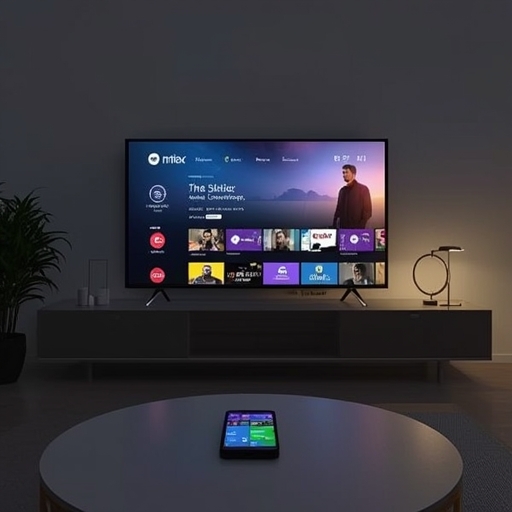
The era of effortlessly transforming your smartphone into a convenient Netflix remote control has effectively come to an end. In a surprising and somewhat perplexing development that first began to circulate among subscribers on Reddit in early November, Netflix now appears to be systematically restricting the ability to wirelessly project or “cast” its content from a mobile device directly onto a television screen. This shift has left many users puzzled, particularly those accustomed to initiating playback from their phones and seamlessly transferring it to larger displays.
Extensive testing conducted by CNET has substantiated these reports, revealing that the casting option has disappeared entirely from several newer hardware configurations, including recent models of LG smart TVs. However, several users have noted that older iterations of the Netflix app, as well as legacy Chromecast dongles that predate the versions with physical remotes, still allow the feature to function, at least for the time being. When approached for clarification, a Netflix representative did not immediately respond to requests for comment. Nonetheless, language found within an official Netflix Help Center page subtly indicates the company’s intent: customers are being encouraged—if not gently steered—toward utilizing the dedicated Netflix applications that come preinstalled or downloadable on most modern TVs and streaming devices.
Until Netflix offers a formal explanation for this abrupt alteration, the new directive is unambiguous: those wishing to enjoy their favorite films and series on a larger display must now launch Netflix directly on that display itself, rather than initiating playback from a mobile or tablet app. This guidance, as outlined on the official Help Center page, further clarifies that only subscribers who are not enrolled in the ad-supported Basic plan retain any limited casting capabilities. Even then, functionality appears to be restricted to particular older devices such as early-generation Chromecasts, specific smart displays, and a small number of legacy television models.
More precisely, the company’s guidance lists a few remaining compatible devices that still support casting or mirroring with Netflix: the third-generation (or earlier) Chromecast units that do not include remotes, the Google Nest Hub Smart Display, as well as select Vizio and Compal TV models. Everyone else, particularly those subscribed to ad-supported plans, will soon find casting and screen-mirroring features fully disabled. Netflix explicitly states that subscribers on ad-supported tiers will be unable to use any form of “casting or mirroring,” regardless of whether their equipment is new or old.
Testing on our end confirmed these limitations in practice. When attempting to mirror the screen of an iPhone 17 Pro, operating on iOS version 26.1, to a TCL TV using a Netflix Standard plan without ads, the process failed. Instead of successfully displaying the content, the TV returned a coded message labeled “E100,” a clear signal that mirroring attempts are now being actively blocked. The accompanying CNET screenshot visibly demonstrates this error prompt, reinforcing that screen mirroring is no longer a viable workaround for accessing Netflix content on unsupported devices.
Netflix’s decision to curtail phone-to-TV casting arrives against a broader backdrop of transformation within the streaming industry. Many prominent entertainment and music platforms—among them notable services such as Spotify—have been steadily raising subscription fees in recent months. These price increases have prompted a substantial number of consumers to rethink their entertainment budgets, with some choosing to cancel or temporarily suspend streaming subscriptions as a means of reducing monthly expenses. In this context, Netflix’s move can be viewed as part of a larger trend toward optimizing platform control and guiding users toward native app ecosystems, even if doing so limits the flexibility subscribers once took for granted.
Sourse: https://www.cnet.com/tech/services-and-software/netflix-has-stopped-allowing-streaming-from-phone-to-tv-how-to-watch-now/#ftag=CAD590a51e